








Getting started with product tours
Product Tours is currently in private alpha. Share your thoughts and we'll reach out with early access.
Currently only available on the web. Requires posthog-js >= v1.324.0.
Create your first tour
Product tours are multi-step walkthroughs that highlight elements in your UI and guide users through features. You build them visually using the PostHog toolbar.
How it works
- Launch the toolbar on your site
- Click elements to create steps
- Add content with the rich text editor
- Configure buttons and actions
- Save and launch
Each step can highlight a specific element, show a modal, or even include an embedded survey question.
Or launch an announcement
Announcements are single-step messages for when you don't need a full tour. Choose between:
- Modals - Centered popups for important messages, changelogs, or feature launches
- Banners - Top or bottom page alerts for subtle notifications
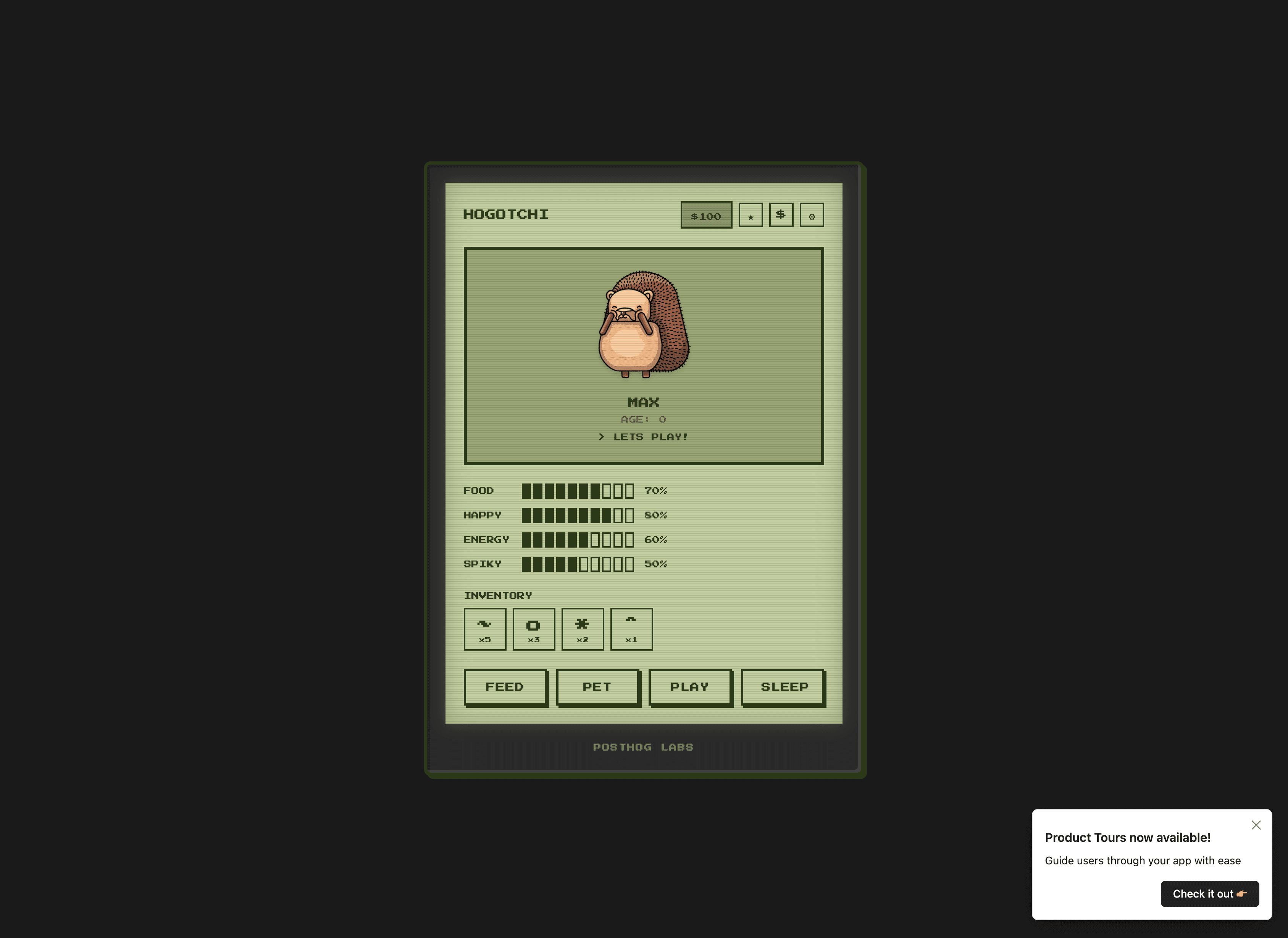
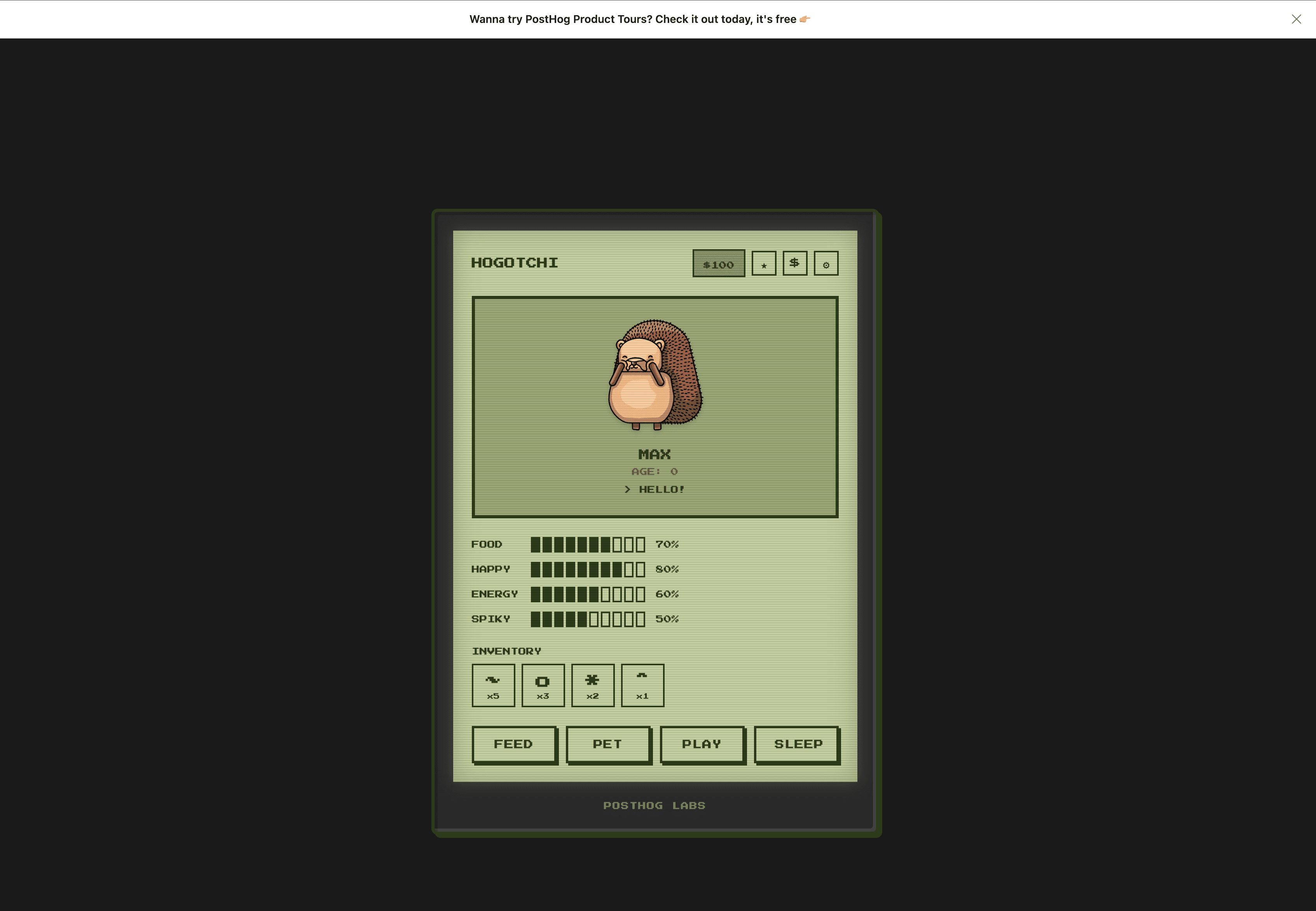
Announcement buttons can open links or trigger a product tour, making them a great entry point for onboarding flows.
You can create announcements directly from the PostHog app without using the toolbar.
Target the right users
Control who sees your tours and when they appear:
- URL matching - Show on specific pages (exact, contains, or regex)
- User properties - Target specific user segments via built-in feature flags
Users who interact with a tour (complete or dismiss) won't see it again.
Customize the look
Make tours match your brand:
- Colors - Background, text, buttons, borders
- Layout - Border radius, shadows, positioning
- Typography - Custom font family
- Behavior - Overlay, dismiss on click outside
- White-label - Hide PostHog branding
Launch and measure
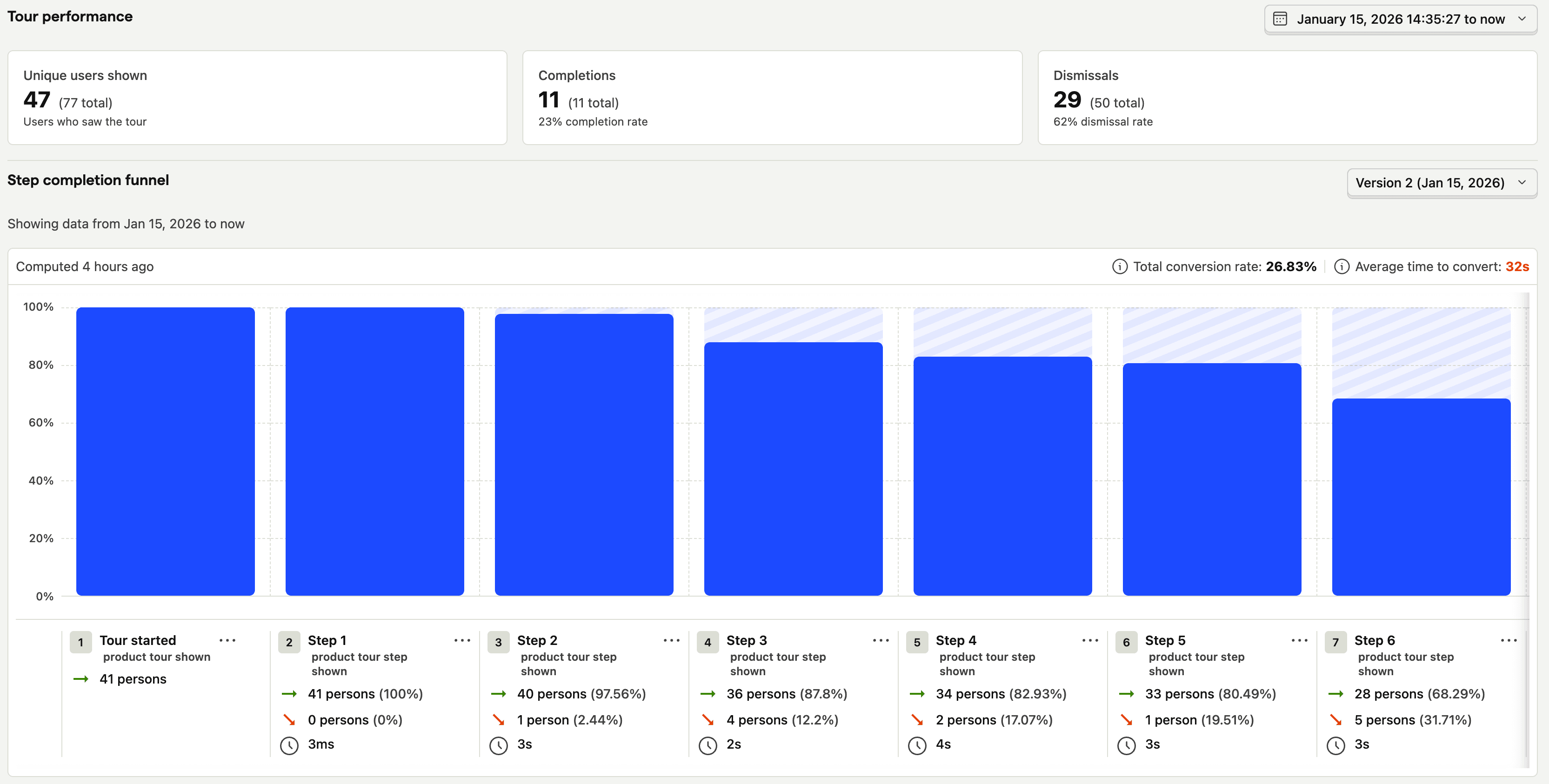
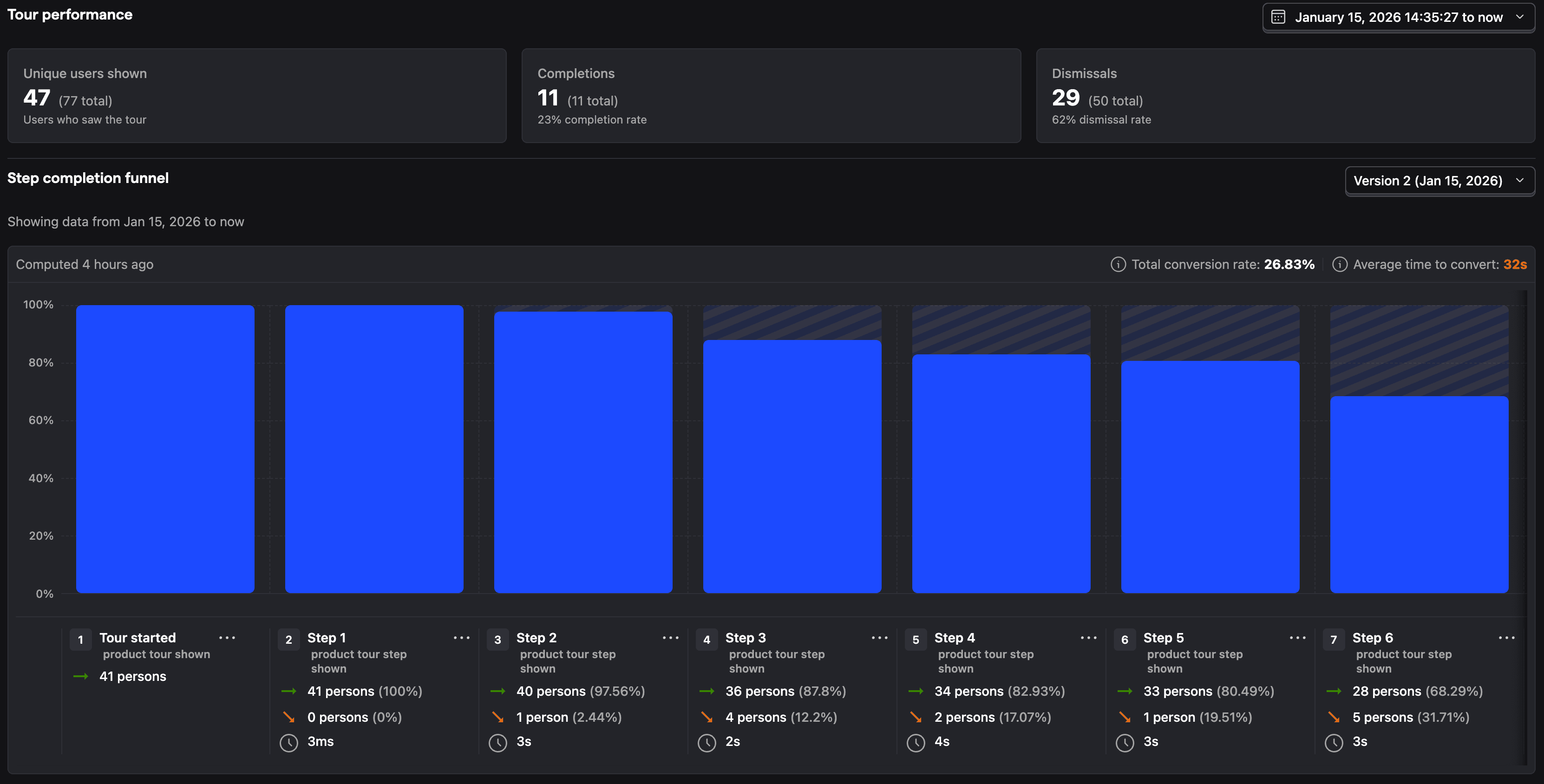
Once your tour is ready, set a start date to launch it. PostHog automatically tracks:
- Shown - How many users saw the tour
- Completed - How many finished all steps
- Dismissed - How many closed early
- Tour funnel - Shows step-by-step where users drop off
Integrate with product analytics
Tour events work with the rest of PostHog. Create funnels to see if tours improve activation, or use cohorts to target users who haven't completed onboarding.
Person properties like $product_tour_completed/{id} are set automatically, so you can filter and segment based on tour interactions.